

At the Unfortunate Center
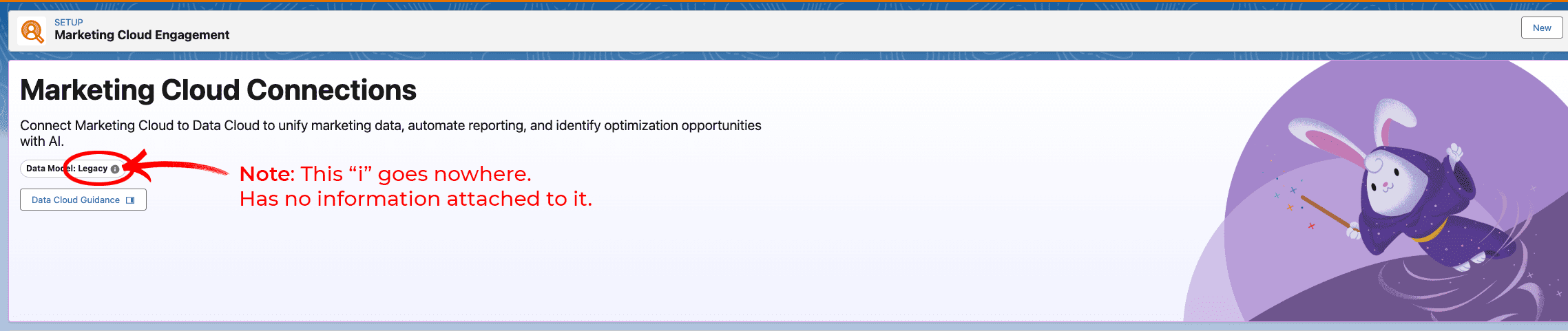
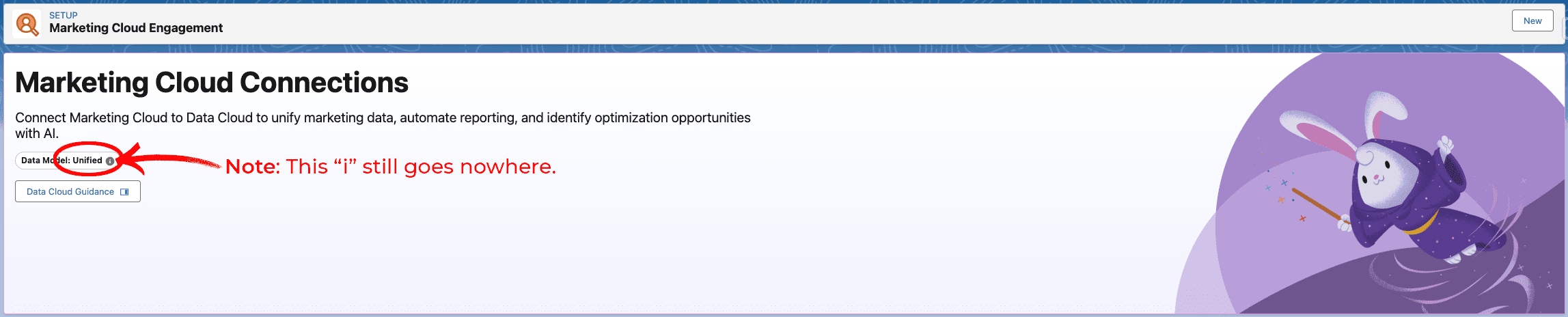
If your organization connected Data Cloud to Marketing Cloud Engagement before Salesforce rolled out its shiny new “unified” data model, congratulations: you’re on legacy architecture.
How to tell you are on legacy architecture:
Under Data Cloud Setup -> Salesforce Integrations -> Marketing -> Marketing Cloud Engagement
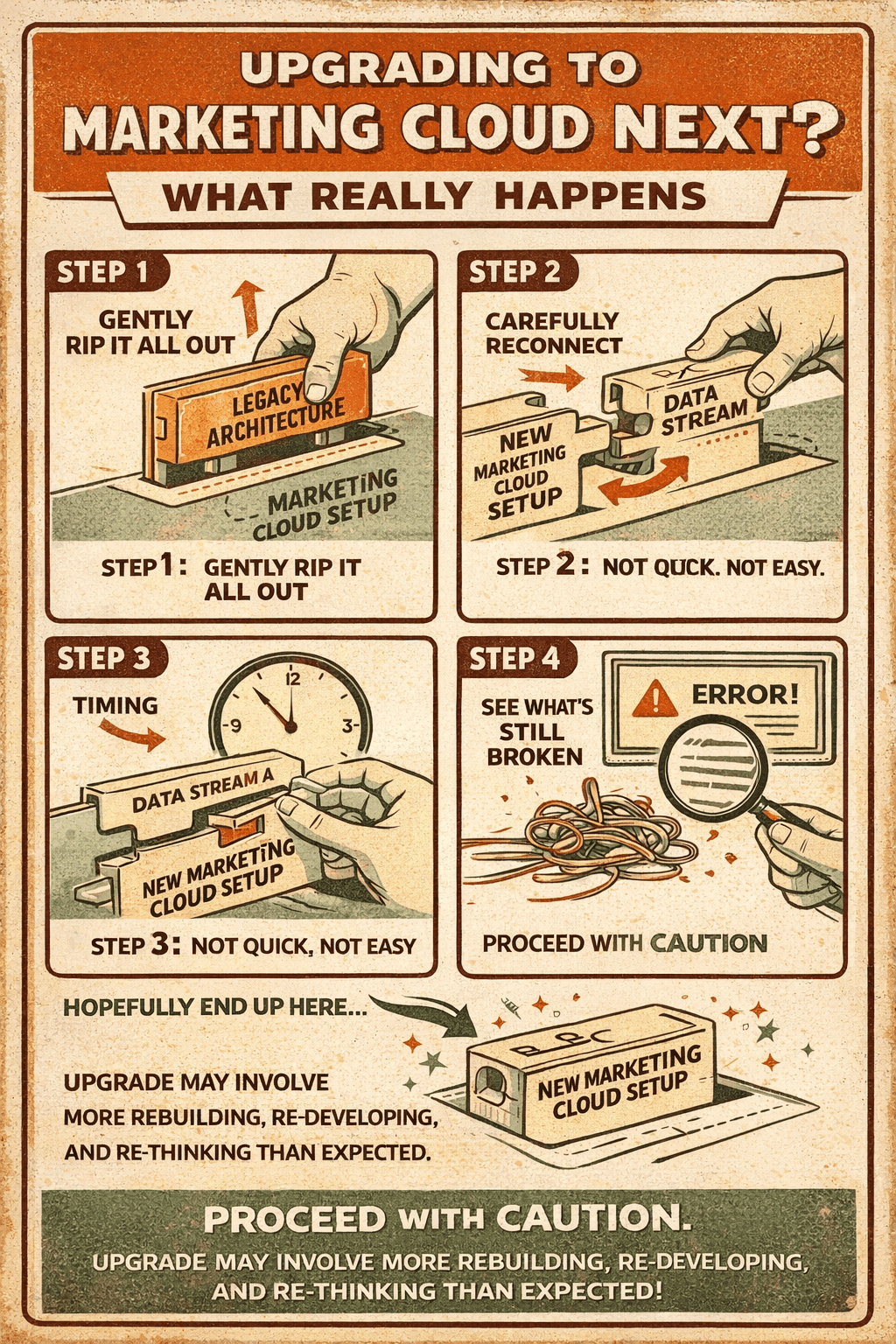
There is no upgrade path. Fully utilizing Marketing Cloud Next means tearing down what you built and starting over from scratch, which is a great use of everyone’s time and absolutely what you planned for this quarter.
What This Migration REALLY Involves
There is no migration wizard. No automated tool. No helpful little progress bar moving across your screen. You delete your existing data streams, remove the MCE connection entirely, and rebuild everything by hand. Think of it less as an upgrade and more as a controlled demolition followed by a construction project, except you’re also the general contractor, the crew, and the person explaining to leadership why this is taking longer than expected.
Is That It Or Is There More?
Glad you asked! Even after you’ve done all that rebuilding, you may still hit installation failures from known product bugs that are, per Salesforce, “being patched progressively.” The help documentation has been known to reference outdated steps, label multiple instructions the same way, and bury a critical prerequisite (enabling the Web Tracking Consent Banner integration) somewhere it’s easy to miss. Part of the workaround includes ingesting every available data stream from Marketing Cloud Engagement, whether you use it or not, including Email, SMS, and Push messages. So, if you enjoy debugging setups using documentation that itself needs debugging, this is your moment.
What to Know When Evaluating a Potential Move
- Check whether your MCE connection shows as Unified or Legacy before assuming any of this applies to you. Hope for Unified. Prepare for Legacy.
- Budget real time for rework and downtime. Not optimistic time. Real time.
- Check Salesforce’s “Known Issues Log” before you start tearing anything down. There is no prize for being the person who does all the hard work only to get blocked by an unpatched bug at the finish line.
- Treat the setup documentation like a checklist you verify step by step, not a vibe you follow loosely. The prerequisites are not suggestions.
The Fine Print Nobody Printed
Salesforce calling this an “upgrade” is doing a lot of heavy lifting. For legacy customers, this is closer to a re-implementation project with a side of bug waiting. If you already have a robust integration, you’re essentially paying for this THRICE: once to build it, once to tear it down, and once more for the rebuild. Budget accordingly … or prepare to have some uncomfortable conversations with whoever approved the original timeline.
CRMF Silver Lining
We would also mention in the bullet points that deleting data streams is the single biggest hassle in the Data 360 universe. There are workarounds! For example, you can create a bunch of temporary data streams to replace the existing ones, delete the existing ones, and then go in reverse after reconnecting. That way you do not have to delete all the segments, activations, calculated insights, data graphs and semantic layers.
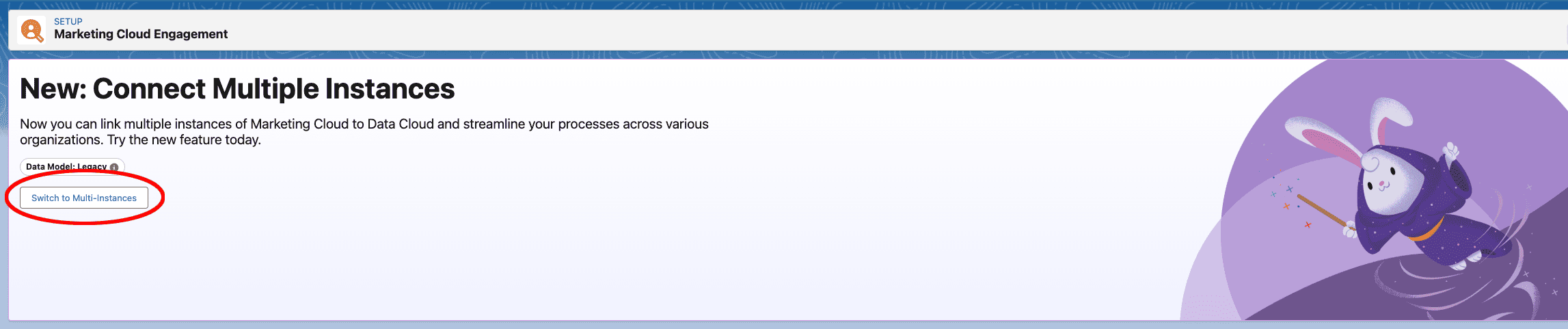
Fun Fact: There is no documentation for getting you across the finish line when removing the legacy data model and support did not have an answer. You have to click “Select to Multi-instances,” name the existing one, and then delete it.
For more information on Marketing Cloud Engagement and Marketing Cloud next, contact us at sales@thecrmfirm.com.
